Agencies
Manage profiles for multiple clients without switching between disconnected tools.
Logging into profiles, switching proxies, finding the right media, running routines, and watching schedules all add up. AutoPilot AI turns that repeated work into one workflow you can control.
You repeat logins, status checks, and window switching instead of working on the campaign itself.
The wrong account, proxy, or media asset can slow a campaign down and make it hard to audit.
Spreadsheets and scattered notes stop being enough once more profiles and routines enter the picture.
Manage profiles for multiple clients without switching between disconnected tools.
Prepare media, personas, and seeding routines that can be scheduled and reused.
Reduce repetitive work and monitor engine status from one dashboard.
There is no required add-on. Choose a license, install the app, and start from your own workspace.
AutoPilot AI is desktop software. You provide the social accounts and proxies needed for your workflow.
Explore the workspace where profiles, proxies, media, scenarios, and schedules come together in one desktop app.
One desktop workspace for teams managing many profiles every day.
Accounts, proxies, content, and schedules stay connected in one workflow.
Device-based licensing with a customer portal for keys and HWID management.
The list below reflects AutoPilot AI's current platform status.
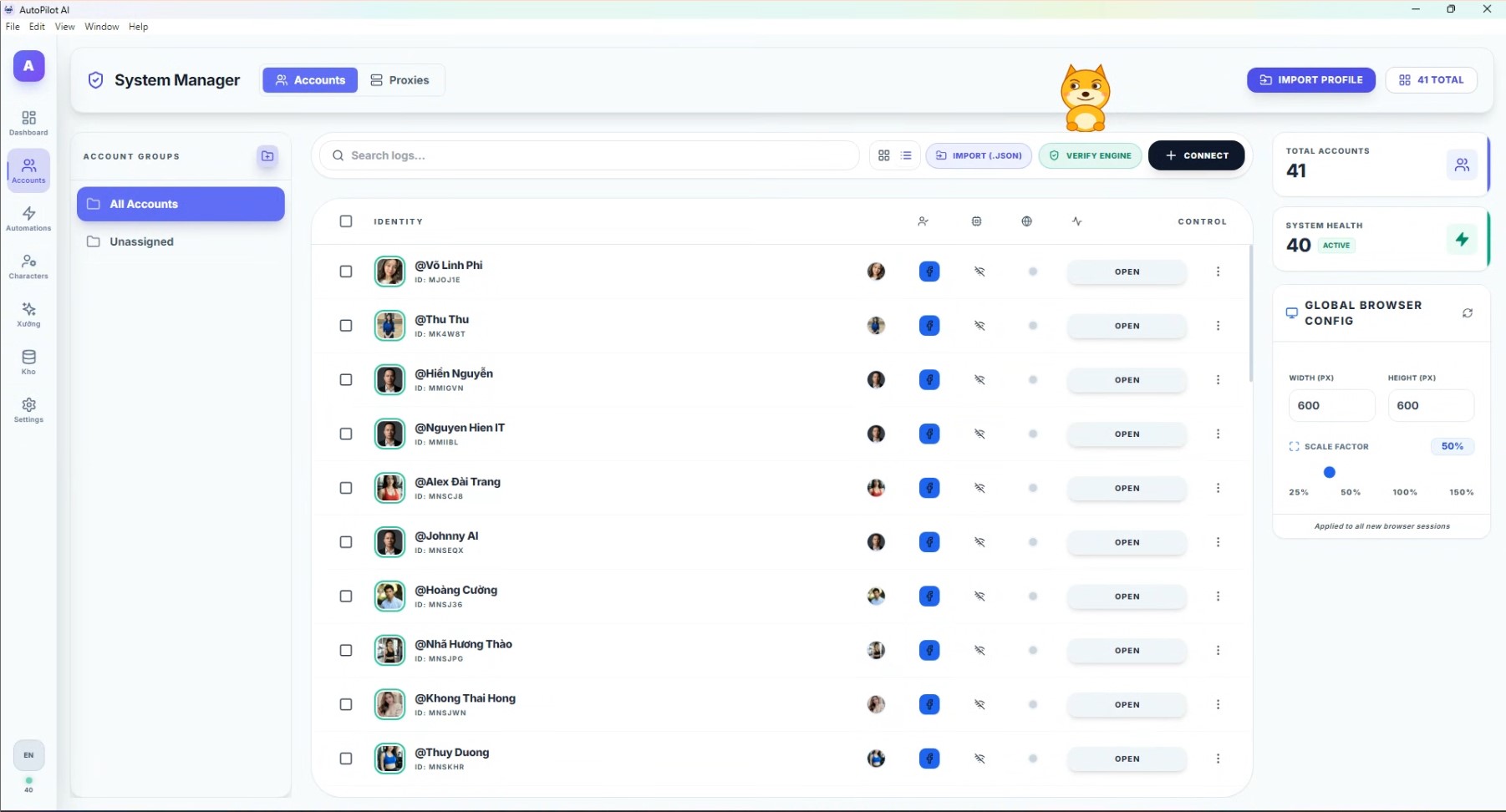
Manage profiles, proxies, browser status, and global configuration from one focused workspace.
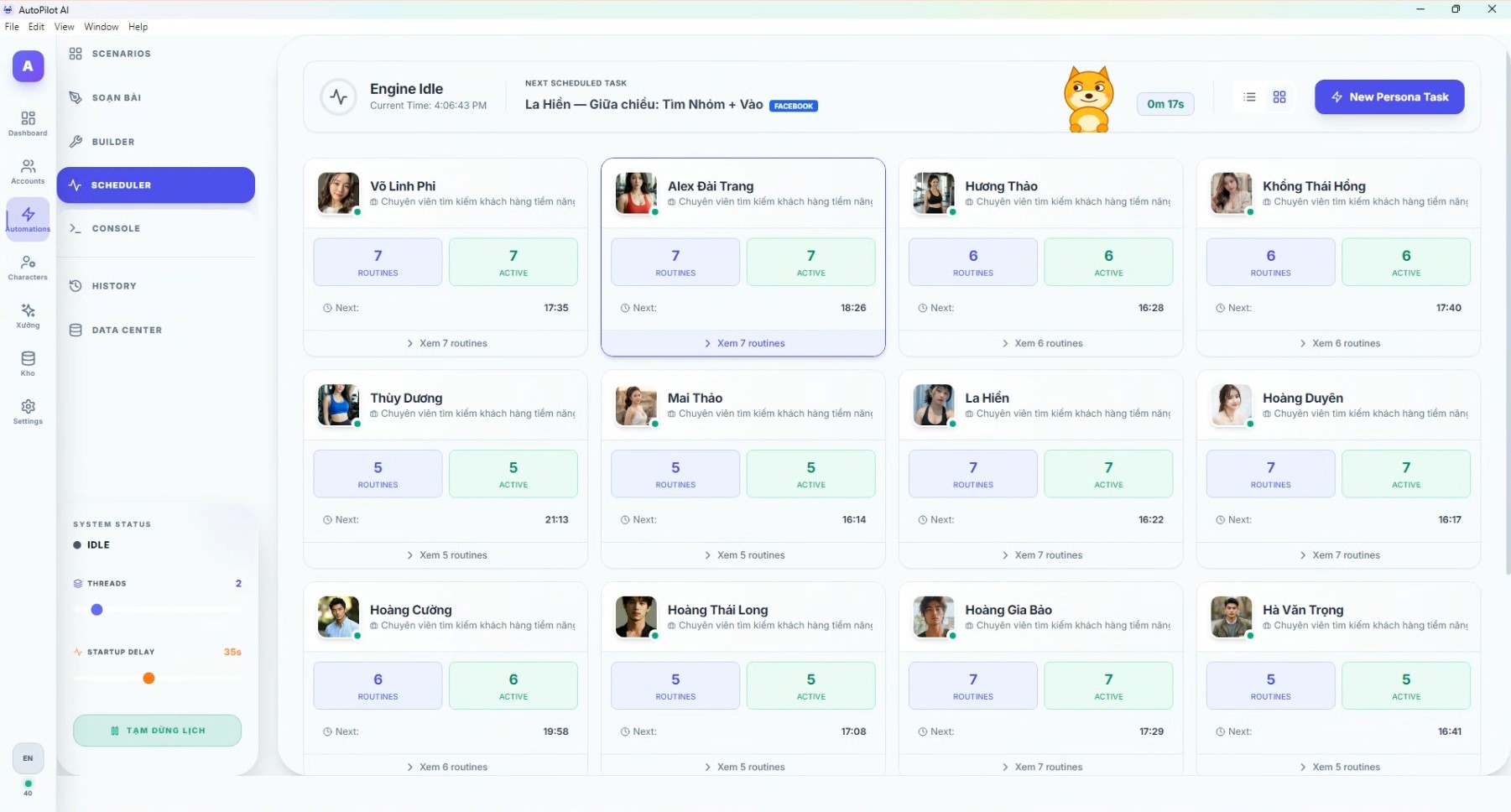
Track the engine, active routines, next scheduled tasks, and each persona status in real time.
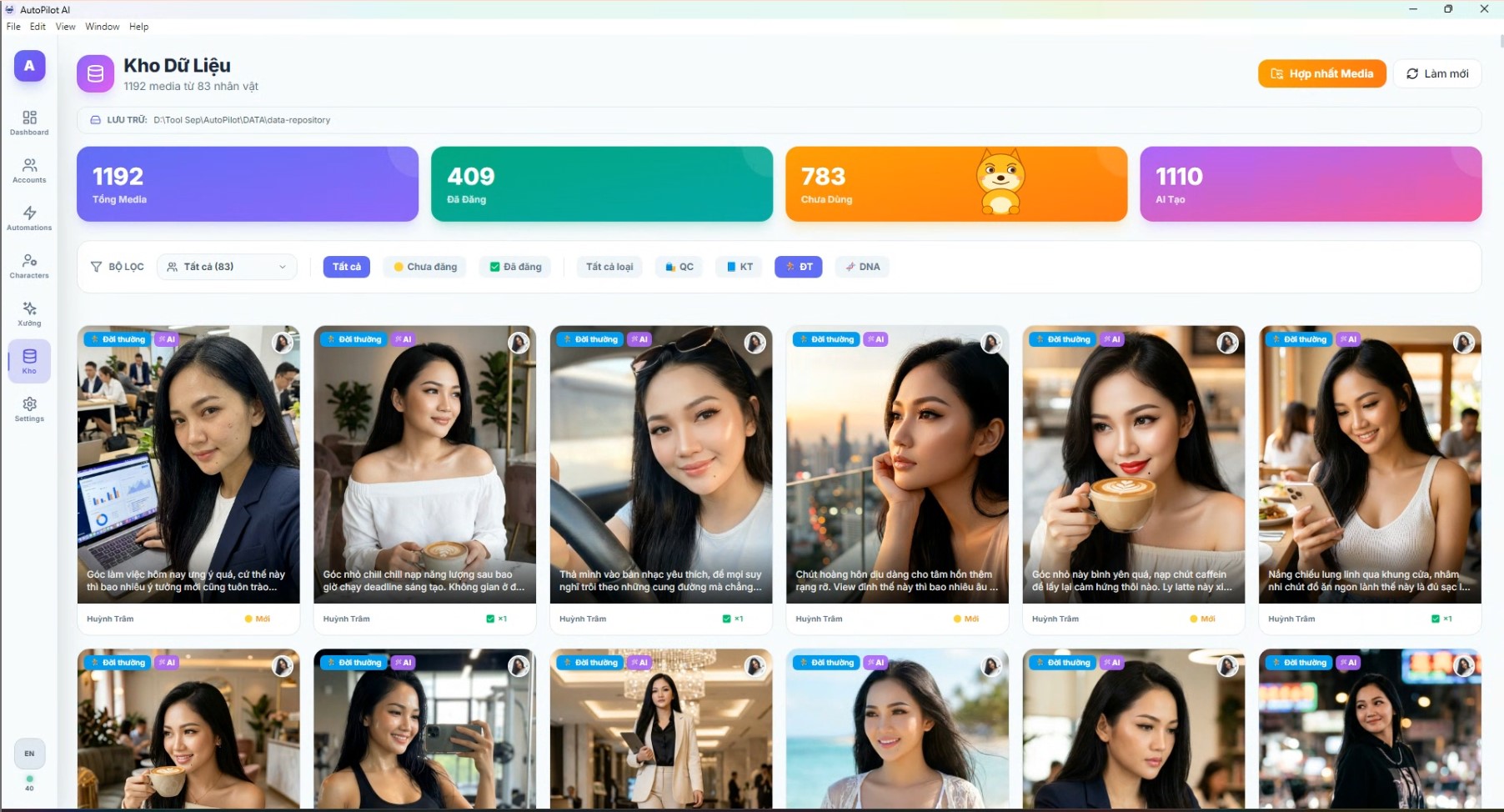
Store images, captions, AI-generated media, and publishing status by persona.
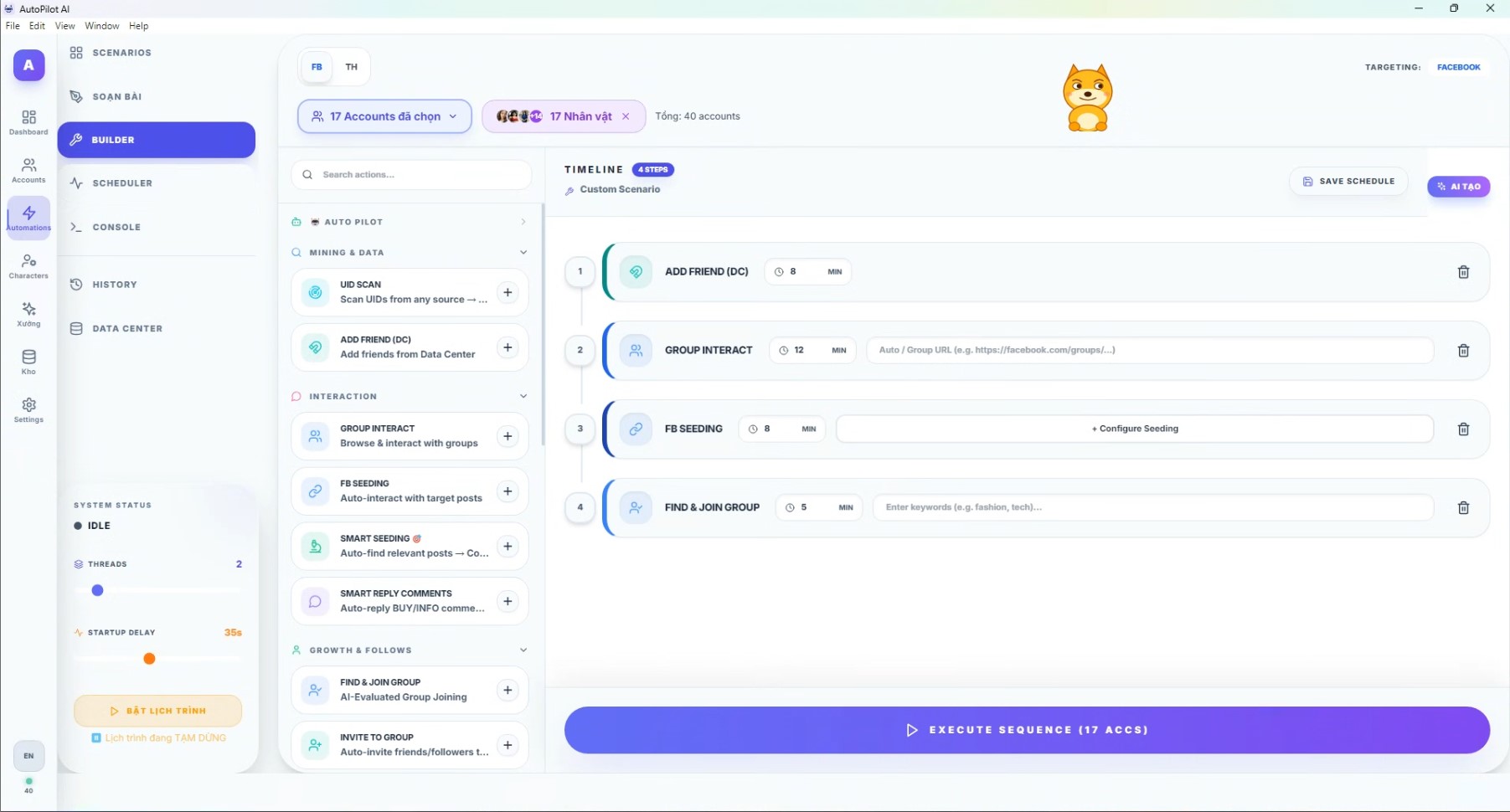
Build reusable action sequences for add friend, group interaction, seeding, group discovery, and batch execution.
Bring accounts into the app, attach proxies, and verify the browser engine before running automation.
Each persona has its own avatar, media library, content voice, and routines for consistent operation.
Choose actions, set delays, add target groups or keywords, and save reusable sequences.
The scheduler distributes tasks by time, thread count, and startup delay settings.
Pick the license period that fits the number of devices you need.
Your license key and activation details are sent by email after payment.
Install the app, activate your HWID, add profiles, and build your first routine.
After purchase, you receive a license key, activate it on your device, and get updates during the plan period. All plans are covered by the published 30-day refund policy and its conditions.
Try it before committing
Save 23% compared with monthly billing
Save 43%, the best value plan
The current focus is Facebook, X (Twitter), and Threads. Instagram, TikTok, and YouTube are planned for future updates.
Separate proxies are recommended for account groups to reduce environment overlap. The app includes proxy management and engine checks before running tasks.
Your key is activated with your email and device ID. When you move to a new device, you can request an HWID reset for that license.
Leave your email if you want plan guidance, or buy a license now if you are ready to deploy.